

Printing Guide
September 25, 2026
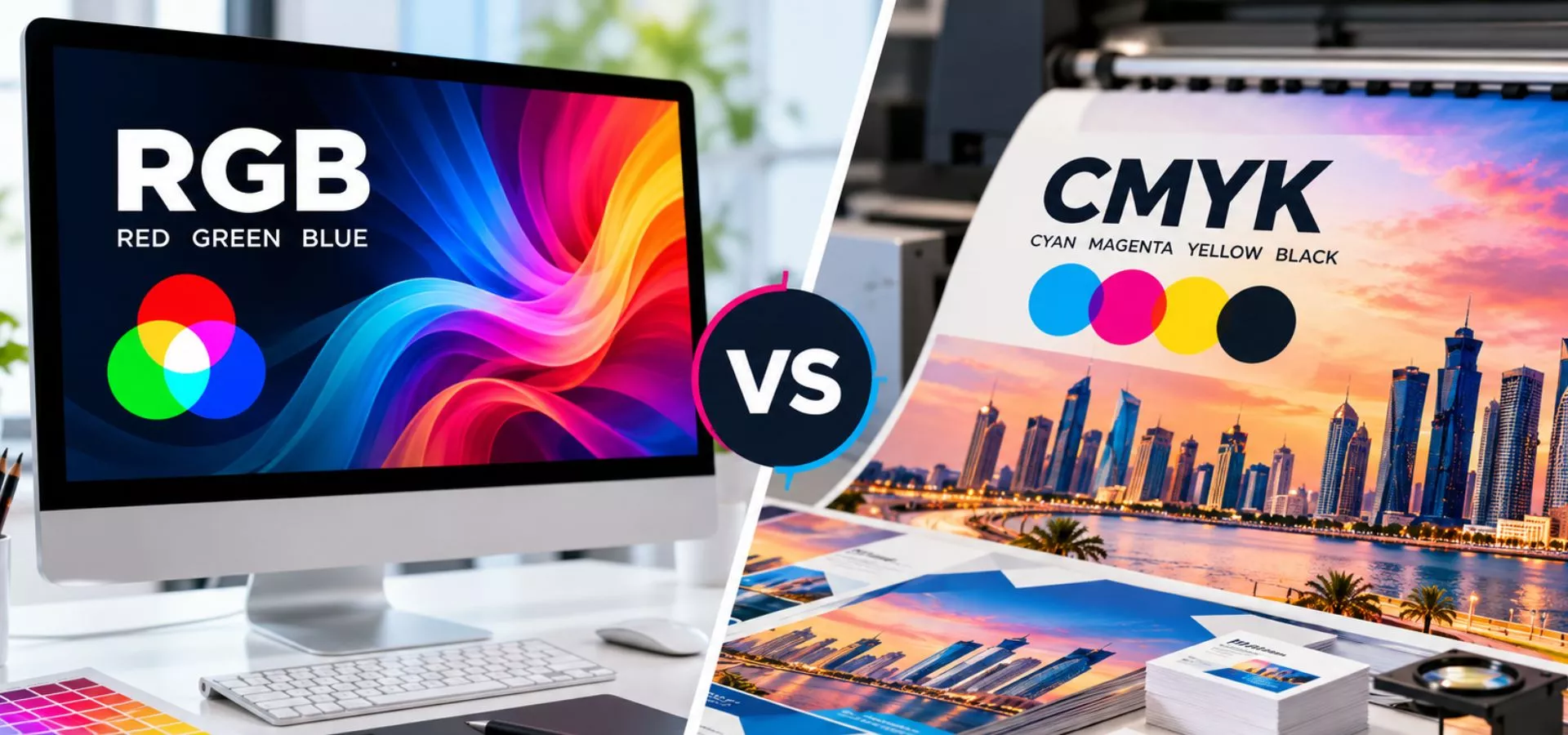
CMYK vs RGB is an important consideration when preparing artwork for professional printing. A design that looks bright and accurate on a computer screen can sometimes appear different when reproduced on printed materials.
One of the main reasons for this difference is the colour mode used in the design. Understanding the difference between CMYK and RGB can help businesses and designers prepare artwork correctly and achieve more predictable printing results.
In this guide, we explain CMYK vs RGB, where each colour mode is used, and why choosing the correct colour mode matters for professional printing.
Table of Contents
What Is RGB?
RGB stands for Red, Green and Blue.
It is a colour model primarily used for digital screens and electronic displays. Computers, smartphones, televisions and other digital devices use light to display colours.
RGB creates colours by combining different levels of:
Red
Green
Blue
Because RGB works with light, it can display a wide range of bright and vivid colours on digital screens.
Where Is RGB Used?
RGB is commonly used for:
Websites
Social media graphics
Mobile applications
Digital advertisements
Online banners
Videos
Presentations
Computer graphics
If your design will only be viewed digitally, RGB is generally the appropriate colour mode.
What Is CMYK?
CMYK stands for Cyan, Magenta, Yellow and Key (Black).
Unlike RGB, which uses light, CMYK is designed around the inks used in the printing process.
The four colours are:
Cyan
Magenta
Yellow
Black
Different combinations of these inks are used to reproduce colours on printed materials.
CMYK is commonly used for printed materials such as:
Business cards
Brochures
Flyers
Posters
Catalogues
Letterheads
Packaging
Stickers
Banners
Marketing materials
When preparing artwork for professional printing, CMYK is generally the preferred colour mode.
CMYK vs RGB: What Is the Main Difference?
The biggest difference between RGB and CMYK is how colours are produced.
RGB uses light, while CMYK uses printing inks.
This means a colour that looks bright and vibrant on your computer or mobile screen may not reproduce exactly the same way when printed.
| RGB | CMYK |
|---|---|
| Red, Green, Blue | Cyan, Magenta, Yellow, Black |
| Uses light | Uses ink |
| Designed for screens | Designed for printing |
| Suitable for digital content | Suitable for printed materials |
| Common for websites and social media | Common for brochures and business cards |
Why Do Colours Change When Printing?
A computer screen produces colours using light. Printed materials reproduce colours using physical inks.
As a result, some colours visible on an RGB screen may not have an exact equivalent in CMYK printing.
For example, extremely bright colours may appear slightly different after being converted from RGB to CMYK.
This is why it is important to prepare your artwork correctly before sending it for printing.
If your final design is intended for print, preparing the artwork in CMYK can help you preview the colours closer to their expected printed appearance.
However, simply converting a design from RGB to CMYK does not guarantee that every colour will look exactly the same.
The final result can also depend on factors such as:
Printer
Ink
Paper
Material
Printing process
Colour profiles
Finishing
For important branding materials, it is useful to discuss colour requirements with your professional printing provider before production.
What Happens If You Send an RGB File for Printing?
An RGB file can often be processed for printing, but the colours may need to be converted to a printable colour space.
During this conversion, certain colours may change.
For example, a bright blue, green or other highly saturated colour displayed on a monitor may look less vibrant after conversion and printing.
Preparing the artwork correctly can reduce unexpected colour differences.
How to Prepare Artwork for Professional Printing
Before sending your artwork to a printing company, check the following:
1. Check the Colour Mode
If the artwork is intended for print, check whether your design software allows you to work in CMYK.
2. Use High-Resolution Images
Low-resolution images can appear blurry or pixelated when printed.
Use suitable high-resolution images for your final print size.
3. Check the Document Size
Make sure your artwork matches the required final printing dimensions.
For example, a business card, brochure and large banner will require different document sizes.
4. Include Bleed When Required
If the background or design extends to the edge of the printed material, your printer may require bleed around the artwork.
Always confirm the required bleed specifications before submitting your final file.
5. Check Fonts and Graphics
Make sure fonts, images and design elements are properly prepared before exporting the final artwork.
6. Export the Correct File Format
Your printing provider may have specific requirements for PDF, TIFF, JPEG or other file formats.
Always confirm the preferred format before submitting your artwork.
CMYK vs RGB for Business Branding
Colour consistency is particularly important for businesses.
Your logo and brand colours may appear across:- Digital Print
- Offset Print
- Branding
- Customization
- Display Stands
- Signages
- Screen Print
- Lamination
- Binding
- Rubber Stamps
- CAD Plotting
- Digital Print
- Offset Print
- Branding
- Customization
- Display Stands
- Signages
- Screen Print
- Lamination
- Binding
- Rubber Stamps
- CAD Plotting
Why Colour Accuracy Matters in Professional Printing
For businesses, printed materials represent the brand in the physical world.
A noticeable colour difference between your logo on your website and your printed materials may affect visual consistency.
This is particularly important for:
Corporate stationery
Business cards
Brochures
Packaging
Promotional materials
Signage
Marketing campaigns
Good artwork preparation and professional printing processes can help businesses achieve more consistent results.
CMYK vs RGB for Different Projects
The appropriate colour mode depends on where your design will be used.
Website
Use RGB for website graphics and digital images.
Social Media
Use RGB for social media posts and digital advertisements.
Business Cards
Use CMYK when preparing artwork for printed business cards.
Brochures
CMYK is generally appropriate for brochures and other printed marketing materials.
Posters
CMYK is commonly used when preparing artwork for printed posters.
Banners
For printed banners, confirm the required colour mode and file specifications with your printing provider before submitting the artwork.
Common Colour Mistakes to Avoid
Designing Only for the Screen
A design that looks excellent on a monitor may not reproduce exactly the same way on paper.
Using Low-Quality Images
Low-resolution images can reduce the quality of the final printed product.
Not Checking the Final Proof
For important printing projects, reviewing a proof can help identify potential issues before the complete print run.
Assuming Every Printer Produces the Same Result
Different printing equipment, materials and processes can produce different results.
When Should You Ask a Printing Professional?
If you are preparing an important branding or marketing project and are unsure about colour modes, file formats, dimensions or finishing, consult your printing provider before production.
A professional printing company can help you understand the technical requirements and prepare your artwork appropriately.
This can be especially useful for large projects involving multiple printed products.
Frequently Asked Questions
CMYK is specifically designed for ink-based printing, while RGB is designed for digital displays. For print projects, CMYK is generally the appropriate colour mode.
RGB artwork can be processed for printing, but it may need to be converted to a suitable printing colour space. Some colours may change during conversion.
Screens produce colours using light, while printers use inks. Differences in colour systems, materials, equipment and colour profiles can cause variations.
If the design is intended for professional printing, preparing it in CMYK can help you work with colours closer to the expected printed result.
RGB is generally suitable for digital content such as social media graphics, websites and online advertisements.
CMYK is generally appropriate for artwork intended for printed business cards.
Conclusion
Understanding CMYK vs RGB is an important part of preparing artwork for professional printing.
RGB is designed for digital displays and uses light to create colours, while CMYK is designed for printing and uses four ink colours to reproduce a wide range of printed colours.
Before sending your artwork for printing, check the colour mode, resolution, document size, bleed, file format and other technical requirements.
For professional printing projects in Qatar, working with an experienced printing provider can help you prepare your artwork and select the appropriate printing solution for your requirements.
Need Professional Printing in Qatar?
Prepare Your Artwork. Print with Confidence.
From business cards and brochures to banners, signage and other printed materials, professional printing starts with properly prepared artwork.
Get A Free Quote Today